Here’s the chain. I start with a spreadsheet.
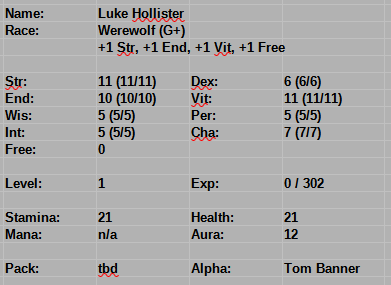
Based on AI advice (that seems sound), I paste as RTF into word processor and set the style.
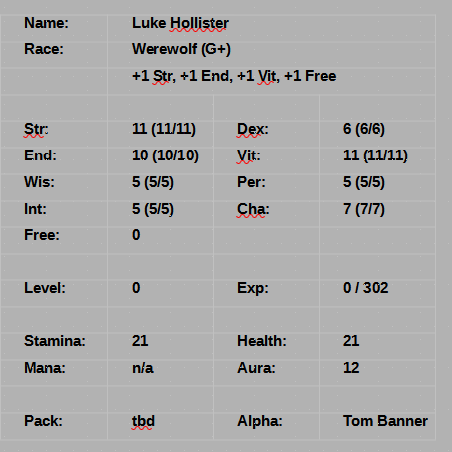
It’s already picking up whitespace. I have table formatting in this style. It’s the font. The export to epub.
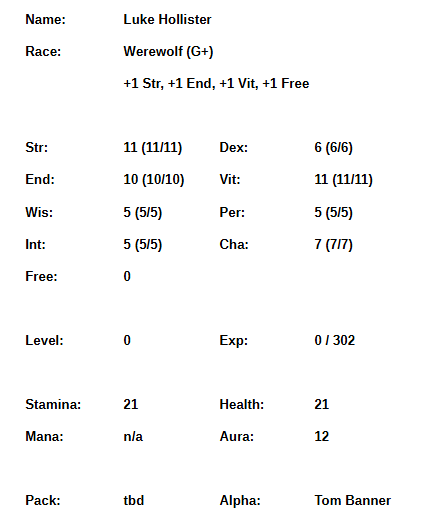
The vertical spacing has gone nuts. The Kindle version looks much the same, but the number columns also need to wider. Different problem.
The top of that is this XML (manually reformatted for humans – why is this necessary?)
<table class="table0"><tbody> <tr class="rowTable0"> <td class="cellTable0"> <p class="para3"> <span class="span2">Name:</span> </p> </td> <td class="cellTable1" colspan="3"> <p class="para3"> <span class="span2">Luke Hollister</span> </p> </td> </tr> <tr class="rowTable0"> <td class="cellTable0"> <p class="para3"> <span class="span2">Race:</span> </p> </td> <td class="cellTable1" colspan="3"> <p class="para3"> <span class="span2">Werewolf (G+)</span> </p> </td> </tr> <tr class="rowTable0"> <td class="cellTable0"> <p class="para3"> </p> </td> <td class="cellTable1" colspan="3"> <p class="para3"> <span class="span2">+1 Str, +1 End, +1 Vit, +1 Free</span> </p> </td> </tr> <tr class="rowTable0"> <td class="cellTable0"> <p class="para3"> </p> </td> <td class="cellTable2"> <p class="para3"> </p> </td> <td class="cellTable3"> <p class="para3"> </p> </td> <td class="cellTable4"> <p class="para3"> </p> </td> </tr> <tr class="rowTable0"> <td class="cellTable0"> <p class="para3"> <span class="span2">Str:</span> </p> </td> <td class="cellTable2"> <p class="para3"> <span class="span2">11 (11/11)</span> </p> </td> <td class="cellTable3"> <p class="para3"> <span class="span2">Dex:</span> </p> </td> <td class="cellTable4"> <p class="para3"> <span class="span2">6 (6/6)</span> </p> </td> </tr>...
This makes some sense. All the rows have the “rowTable0” style. Each of the four columns has a “cellTable0,2,3,4” styles (no 1). Nested within is the “para3” paragraph. Nested within in – but only if there is text – is the “span2” span.
What are those?
.rowTable0 { min-height: 0.1778in;}.cellTable0 { border: none; vertical-align: bottom; width: 1.0201in;}.cellTable2 { border: none; vertical-align: bottom; width: 1.0007in;}.cellTable3 { border: none; vertical-align: bottom; width: 1in;}.cellTable4 { border: none; vertical-align: bottom; width: 1.1in;}.para3 { line-height: 120.0000%; margin: 0.0000in 0.0000in 0.0598in 0.2799in; text-indent: -0.0799in;}.span2 { font-family: 'Liberation Sans'; font-size: 10.0000pt; font-weight: bold;}
Well. That certainly explains things. Each row is at least “min-height: 0.1778in”. More likely the column height pushes it up with “line-height: 120.0000%;” and two of those margins are top/bottom. The order is top right bottom left. So 0.0598in is being added on the bottom.
First attempt: Just get rid of it all and let the font-size drive it.
.rowTable0 { border: none;}.para3 { margin: 0.0000in 0.0000in 0.0000in 0.0000in; text-indent: -0.0799in;}
I put “border: none” in there because I don’t know if an empty definitions is legal or not.
That’s better, but still a bit spread out. The screen shot is a good 1.5 inches smaller.
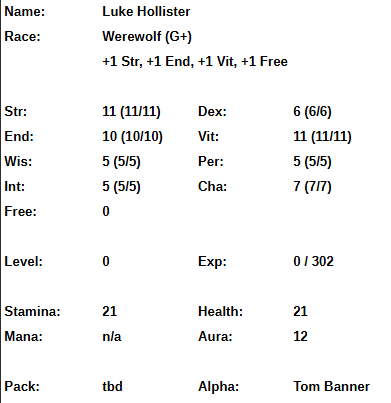
Perhaps “line-height: 120.0000%;” could become “line-height: 99.0000%;” Doesn’t seem to do anything. I took it down to 90% and it looked the same.
The 120% comes from the Paragraph Style, Indents & Spacing, Line Spacing: Proportional of 120%. The other interesting choices in the drop list are At Least and Fixed. The number is a spinner. This is tweakable at the source in the style I’m already using. Great!
Fixed 0.02″ is as small as I can go.
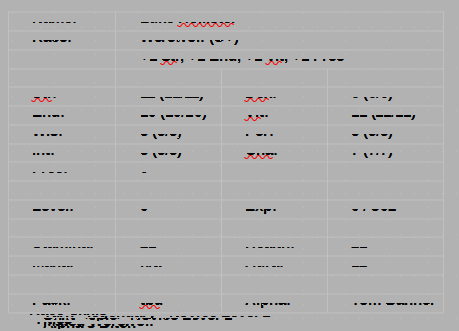
I’d say that is not setting a border, but rather the line height. 0.02 seems a bit small.
Proportional 100% is about an inch shorter than the first one. Progress.
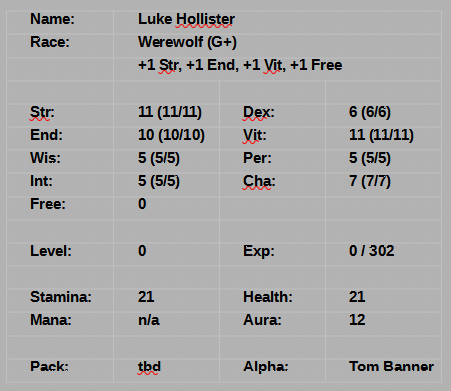
It looks as if I’m getting a bottom margin. There are table styles, but I don’t seem to be using one of them. Right clicking on Styles shows “default table style” (and others), but nothing is selected.
In my style sheet, there are a zillion Editable and Newable styles. The table styles don’t have right mouse menu options. Insert Table defaults to a style of “None”. Inserting a Default one into the template (after making a copy of it, which is stored in the intuitively obvious directory of C:\Users\17204\AppData\Roaming\LibreOffice\4\user\template).
If one goes to the table’s properties, it has an internal style. At least it’s called Table Contents, not .rowtable0. There’s also an internal paragraph style, which seems unnamed.
What can I change and what will it do? I don’t want the table itself in my template, so baithx. Create a new Character Sheet style based on Table Contents.
The System Notification style (which is what makes it small and bold) is the “without liberation” font (Liberation Sans), Bold, 10pt. I screwed withe margins to outdent it, but tables don’t need that.
Get rid of all the indents and spacing. Huh. Apparently Libre Writer does drop caps. I don’t care; I hate them.
Save template. Re-open Chapter 1. Yes, upgrade to match template. Apply new style to table. It shrunk again! Yay!
I made all the columns in the spreadsheet 1 inch wide – except for the ones that had “Stamina” or “Tom Banner” in them, which got 1.1. That seems to have worked for Tom, but Stamina is still an issue. I think “Stam” and “Hlth” are required. “Helth” works, but it looks more like a spelling error.
I’m not sure how to force the 1″ on them in Writer, though. Click in it. Table Properties then Columns.
Side by side:
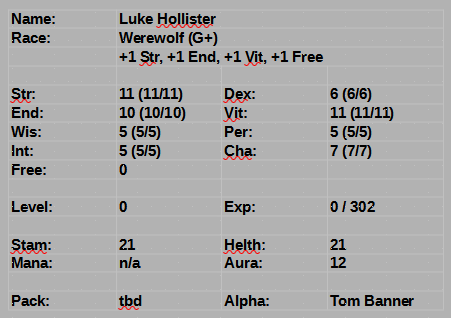
Vastly improved. Let’s see if it survives epub-ing.
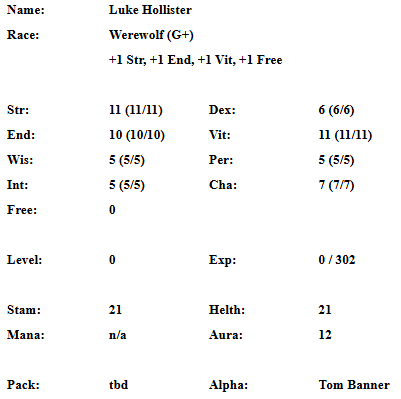
Also vastly improved. The Kindle is wrapping the two-digit number columns and it certainly appears columns 1 and 3 could be narrower.
That’s got to start in the spreadsheet. For Tom, “Members” is in that column. “Wolves” maybe. Looks about two characters narrower. Make 1 and 3 0.75″ and 2 and 4 1.25″ for same total width.
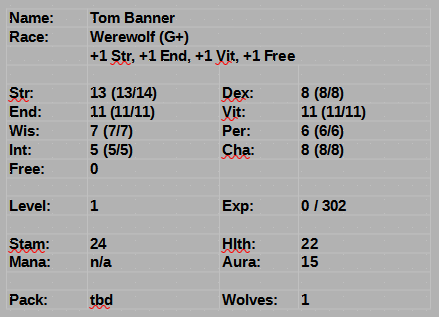
Definitely different. Note Helth vs Hlth. I like neither. And now to epub…
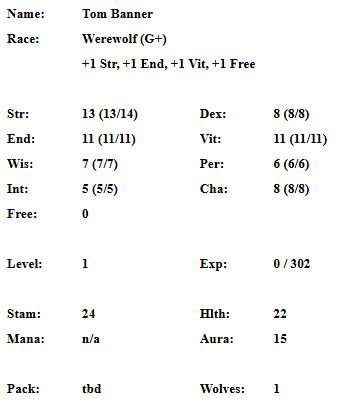
I’m still not thrilled about the vertical spacing.
CSS is rowTable0, cellTable0, cellTable2, cellTable3, cellTable1, para6, and span4.
.table0 { width: 4.1208in;}.rowTable0 { min-height: 0.1778in;}.cellTable0 { border: none; vertical-align: bottom; width: 1.0208in;}.cellTable2 { border: none; vertical-align: bottom; width: 1in;}.cellTable3 { border: none; vertical-align: bottom; width: 1.1in;}.cellTable1 { border: none; vertical-align: bottom;}.para6 { margin: 0.0000in 0.0000in 0.0000in 0.0000in; text-indent: 0.0000in;}.span4 { font-family: 'Liberation Sans2'; font-size: 10.0000pt; font-weight: bold;}
min-height on the row is dubious. What if I set it to 0? Doesn’t seem to make any difference.
Just to check, what does Writer have for column widths? Matches the spreadsheet: 0.75, 1.25, 0.75, 1.25. I’m going to force that in. That totals to 4, which should fit in the table0.width: 4.1208.
Off the bottom is just a list. It is also overly spaced out. It’s para3 and span2.
.span2 { font-family: 'Liberation Sans'; font-size: 10.0000pt; font-weight: bold;}.para3 { margin: 0.0000in 0.0000in 0.0598in 0.2799in; text-indent: -0.0799in;}
top right bottom left. bottom of zero tightened that up nicely.
span2 and span4 are different fonts. That must be my fault. Template is the same. Document is the same. There are no embedded fonts. Where’s the “2” coming from? It looks lightly serifed. There was a “1”, too. Removed both. Looks better.
Alrighty, off to Kindle land (as Chapter01v2 so I don’t need to convert it all for one test).
While I’m waiting, I renamed Character Sheet to System Sheet so it sorts next to System Notification and System Perspective.
I also opened Chapter 5 and it did not ask me to refresh the style sheet. Apparently, documents becoming detached from their original templates is common enough that someone wrote an extension to fix it. Installed. It seems to work: The new System Sheet style shows up.
And the new file came in. Still a bit more vertical spacing than I’d like, but a zillion times better and nothing word-wraps (we’ll see if it stays that way when the numbers get bigger, but that’s a problem for future Mark).
I _think_ with the spreadsheet column widths and the template changes, that I’ll not need to edit the CSS directly. If I do, it’s just setting the column widths.
One more pass through the spreadsheets, though.
Rejected image is getting a pass because this post is filled with images.

